

Introduction
Website analytics is the foundation of every successful digital marketing strategy because it transforms raw website traffic into meaningful business insights. In today’s highly competitive digital ecosystem, simply having a website is not enough. Businesses must understand how users interact with their website, what drives them to take action, and where they drop off in their journey. Without analytics, decision-making becomes guesswork, which often leads to wasted marketing budgets and poor performance.
Modern digital marketing is completely data-driven. Every click, scroll, visit, and conversion tells a story about user behavior. Website analytics helps decode this story and turn it into actionable strategies that improve performance. Whether it is SEO, paid ads, social media, or email marketing, analytics plays a central role in optimizing every channel.
In this guide by MSDM, you will learn how professionals track website performance using tools like Google Analytics 4, heatmaps, funnels, KPIs, and dashboards. The goal is to help you think like a data-driven marketer who doesn’t rely on assumptions but instead uses real insights to grow traffic, leads, and revenue consistently.
“Marketing without data is like driving with your eyes closed. Analytics gives you the clarity to move in the right direction.” —
What is Website Analytics?
Website analytics is the systematic process of collecting, measuring, analyzing, and interpreting user data from a website. It provides deep insights into how visitors interact with your pages, where they come from, what actions they take, and why they leave. This information is essential for understanding overall website performance and identifying areas for improvement.
At its core, website analytics answers critical business questions such as how many users are visiting your website, which pages are performing the best, how long users are staying, and which marketing channels are bringing the highest quality traffic. These insights help marketers and business owners make informed decisions instead of relying on guesswork.
Modern tools like Google Analytics 4 (GA4) have revolutionized tracking by shifting from simple pageviews to event-based tracking. This means every user action—clicks, form submissions, video views, and purchases—can be measured accurately. This level of detail allows marketers to understand the full customer journey and optimize it for better results.
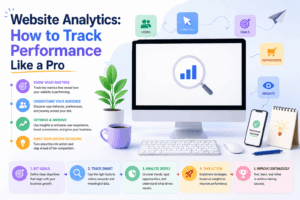
Why Website Analytics is Important for Digital Marketing
Website analytics is not just a reporting tool; it is a strategic decision-making system. Every successful digital marketing campaign depends on accurate data insights. Without analytics, it is impossible to know what is working and what is not.
One of the biggest advantages of analytics is understanding user behavior. It shows how users interact with your website, which pages they prefer, and where they lose interest. This allows marketers to improve user experience and increase engagement. Additionally, analytics helps identify high-performing marketing channels such as SEO, paid ads, or social media, enabling better budget allocation.
Another key benefit is conversion optimization. By analyzing user journeys, marketers can identify friction points in the funnel where users drop off. Fixing these issues can significantly improve conversions without increasing traffic. Ultimately, website analytics ensures that every marketing decision is backed by real data, leading to more predictable and scalable growth.
Key Metrics You Must Track Like a Pro
To track performance effectively, focusing on the right KPIs is essential. Not all metrics are equally important, and professionals prioritize data that directly impacts business growth.
Traffic sources reveal where your users are coming from, such as organic search, paid ads, social media, direct visits, or referrals. This helps identify which channels deliver the highest-quality traffic. Bounce rate shows how many users leave without interacting, indicating issues with content relevance or website experience.
Average session duration measures how long users stay engaged, while pages per session indicate how deeply they explore your site. Conversion rate is the most critical metric, showing how many visitors complete desired actions such as purchases, sign-ups, or inquiries.
When analyzed together, these KPIs provide a complete picture of website performance. Instead of focusing on isolated numbers, professionals interpret these metrics collectively to identify patterns, improve marketing strategies, and increase overall ROI.
How to Use Google Analytics 4 (GA4) for Tracking
Google Analytics 4 (GA4) is the most advanced website tracking tool available today. Unlike traditional analytics platforms that focus on pageviews, GA4 is built around event-based tracking, making it far more powerful and flexible.
With GA4, marketers can track every meaningful user interaction, including button clicks, scroll depth, video engagement, form submissions, and purchases. This allows businesses to understand the complete user journey in detail.
GA4 also provides real-time reporting and advanced user segmentation. Marketers can analyze how users move through different pages before converting, identify drop-off points, and optimize accordingly. Exploration reports further help in deep analysis by allowing custom funnel creation and cohort tracking.
To use GA4 effectively, businesses must define clear conversion events, set measurable goals, and continuously monitor acquisition channels. When used correctly, GA4 becomes a powerful decision-making engine that drives website optimization and marketing success.
Setting Up Goals and Conversions
Goals and conversions are the foundation of effective website analytics. Without defining goals, it becomes impossible to measure success. A goal represents a specific action you want users to take on your website, such as filling out a form, signing up for a newsletter, or completing a purchase.
Once goals are configured in GA4, businesses can track how well their website is performing against predefined objectives. This helps in understanding which traffic sources generate the most valuable users and which pages contribute to conversions.
For example, an eCommerce website focuses on purchase completions, while a service-based business tracks inquiries or lead form submissions. A blog might measure newsletter signups or content engagement.
Tracking conversions allows marketers to optimize campaigns, improve landing pages, and allocate marketing budgets more efficiently. It ensures that every visitor interaction is aligned with business growth objectives.
Understanding User Behavior with Funnels
A conversion funnel represents one of the most important concepts in website analytics because it explains the complete journey a user takes before completing a desired action. Instead of looking at isolated metrics like traffic or clicks, funnels allow marketers to visualize the step-by-step path users follow—from their first interaction with the website to the final conversion. This structured view is essential for understanding real user intent and behavior.
A typical digital marketing funnel includes multiple stages such as landing page visits, product or service page exploration, add-to-cart actions (for eCommerce), checkout initiation, and finally the purchase or lead submission. In lead generation websites, the funnel may include steps like ad click → landing page visit → form fill → thank-you page conversion.
Funnels are extremely powerful because they highlight exactly where users drop off in the journey. For example, if a large percentage of users leave at the checkout stage, it may indicate issues such as poor website usability, lack of trust signals, hidden charges, slow loading speed, or even pricing concerns. Similarly, if users drop off early on landing pages, it may suggest irrelevant traffic or weak messaging.
By analyzing funnel performance, marketers can identify bottlenecks and optimize each stage individually. Even small improvements at each step can lead to a significant increase in overall conversions. This makes funnel analysis one of the most effective optimization techniques in digital marketing because it improves revenue without necessarily increasing traffic.
Heatmaps and Session Recording Tools
While traditional analytics tools like Google Analytics focus on numbers, charts, and reports, heatmaps bring a completely different dimension by visualizing how users actually interact with your website. Heatmaps show behavior patterns in a highly intuitive way, making it easier to understand what users are doing instead of just what they are clicking.
Tools like Hotjar, Microsoft Clarity, and Crazy Egg generate heatmaps that display user interactions such as clicks, scroll depth, and mouse movement. For example, red areas in a heatmap indicate high engagement zones, while blue or cold areas indicate low interaction. This allows marketers to instantly identify which parts of a webpage are attracting attention and which are being ignored.
Session recording tools go even deeper by allowing marketers to view real user sessions on the website. This is extremely powerful because it reveals how users navigate through pages, where they get confused, where they hesitate, and what causes them to leave. Unlike analytics reports, session recordings provide real behavioral evidence instead of assumptions.
These tools are especially useful for optimizing landing pages, improving user experience (UX), and increasing conversion rates. For example, if users are repeatedly clicking on non-clickable elements or struggling to find important buttons, designers can quickly fix these issues. Heatmaps and recordings bridge the gap between data and real human behavior, making them essential for any serious digital marketer.
UTM Tracking for Marketing Campaigns
UTM tracking is a critical technique used in digital marketing to identify the exact source and performance of website traffic. Without UTM tracking, marketers often struggle to understand which campaigns are driving results and which are wasting budget.
UTM parameters are simple tags added to the end of a URL. These tags include information such as campaign name, traffic source, medium, and specific ad content. For example, a URL shared in a Facebook ad campaign can be tagged to clearly show that the traffic came from Facebook, under a specific campaign, and from a particular ad set.
This level of tracking allows marketers to measure performance with precision. Instead of guessing which platform is working best, businesses can clearly see whether Google Ads, Instagram Ads, email marketing, or influencer campaigns are delivering better results.
UTM tracking also plays a key role in improving return on ad spend (ROAS). By analyzing which campaigns generate conversions at the lowest cost, marketers can reallocate budgets more effectively and scale profitable campaigns while cutting underperforming ones.
In short, UTM tracking ensures full transparency in marketing performance and eliminates guesswork from campaign analysis. It transforms marketing from an assumption-based activity into a measurable, data-driven system.
Creating a Professional Analytics Dashboard
A professional digital marketer never relies on scattered reports or multiple tabs of raw data. Instead, they use centralized dashboards that bring all key performance metrics into one place. A well-structured dashboard simplifies complex data and makes decision-making faster and more efficient.
A strong analytics dashboard typically includes key elements such as overall traffic performance, conversion rates, top-performing landing pages, revenue tracking, user acquisition channels, and campaign performance. These insights allow marketers to quickly understand how the website is performing at a glance without digging deep into multiple reports.
Tools like Google Analytics 4, Google Looker Studio, HubSpot, and Tableau are commonly used to build customized dashboards. These platforms allow marketers to create visual reports using graphs, charts, and KPIs that are tailored to specific business goals.
One of the biggest advantages of dashboards is real-time decision-making. Instead of waiting for monthly reports, businesses can instantly monitor performance changes and take action when needed. For example, if conversion rates drop suddenly, marketers can quickly investigate and fix the issue before it impacts revenue significantly.
A professional dashboard acts as a command center for digital marketing, helping teams stay focused, aligned, and data-driven at all times.
Common Mistakes in Website Analytics
Even though website analytics is powerful, many beginners make critical mistakes that lead to incorrect insights and poor decision-making. One of the most common mistakes is tracking too many irrelevant metrics instead of focusing on key performance indicators (KPIs). When marketers get overwhelmed by data, they often lose sight of what actually matters for business growth.
Another major mistake is improper conversion tracking. If conversions are not set up correctly in tools like GA4, the entire dataset becomes unreliable. This leads to misleading reports and incorrect optimization decisions.
Many beginners also fail to segment their audience properly. Without segmentation, it becomes impossible to understand different user behaviors across traffic sources, devices, or demographics. For example, mobile users may behave completely differently from desktop users, and ignoring this difference can result in poor optimization.
Another common issue is focusing on short-term data fluctuations instead of long-term trends. Marketing performance should always be analyzed over time to identify consistent patterns rather than reacting to temporary spikes or drops.
Avoiding these mistakes is crucial for building a strong, data-driven marketing foundation that leads to sustainable growth and better decision-making.
How Professionals Use Analytics for Growth
Professional marketers treat analytics not as a reporting tool but as a growth engine that drives every marketing decision. Instead of simply observing data, they actively use it to improve performance across all channels.
They continuously analyze user behavior to optimize landing pages, improve content structure, and enhance overall user experience. If a page has a high bounce rate, they investigate why users are leaving and make necessary changes to improve engagement.
In paid advertising, professionals use analytics data to optimize ad campaigns. They identify which ads are converting at the lowest cost and scale them while pausing underperforming ones. This ensures maximum return on investment.
Heatmaps and funnel analysis are also heavily used to identify friction points in the user journey. Once these friction points are identified, marketers implement changes that directly improve conversion rates.
This continuous cycle of analyzing, optimizing, and scaling is what separates beginner marketers from professionals. It ensures consistent growth and long-term success in digital marketing.
Final Thoughts
Website analytics is one of the most powerful and in-demand skills in modern digital marketing, and it plays a critical role in how successful businesses grow in today’s competitive online environment. At MSDM, we strongly believe that no digital strategy can succeed without proper data tracking and analysis. Website analytics transforms simple raw data into meaningful insights that help marketers understand what is working, what is not working, and what needs to be improved. Without this knowledge, businesses often make decisions based on assumptions, which leads to wasted budgets, poor performance, and missed opportunities.
When you learn website analytics through tools like Google Analytics 4, funnels, heatmaps, dashboards, and UTM tracking, you start to understand the complete customer journey in a structured and professional way. You can clearly see how users are entering your website, how they are interacting with your content, where they are dropping off, and what is driving them to convert. This level of clarity allows marketers to make smarter decisions that directly improve traffic quality, engagement, and conversion rates.
At MSDM, we train students to think like data-driven marketers, not just content creators or ad managers. The ability to interpret analytics correctly gives you a strong competitive advantage in the digital marketing industry. It helps you optimize campaigns in real time, improve user experience, and scale businesses more effectively.
In today’s fast-changing digital world, success is no longer based on guesswork—it is driven by data. Marketers who understand analytics deeply can predict outcomes, identify growth opportunities, and continuously improve performance. Ultimately, website analytics is not just a technical skill; it is the foundation of smart marketing and long-term digital success.